




स्टेज बीम लाइट डीएमएक्स कंट्रोल और एड्रेसिंग की मूल बातें
- लाइव इवेंट्स के लिए DMX एड्रेसिंग को समझना
- संक्षिप्त विवरण: स्टेज बीम लाइट के लिए DMX क्यों महत्वपूर्ण है
- DMX512 क्या है और स्टेज बीम लाइट में इसका उपयोग कैसे होता है?
- स्टेज बीम लाइट के लिए DMX एड्रेसिंग की मूल बातें
- स्टेज बीम लाइट के लिए सामान्य DMX चैनल मैप (उदाहरण)
- स्टेज बीम लाइट सिस्टम के लिए वायरिंग, टर्मिनेशन और सिग्नल इंटीग्रिटी
- DMX बनाम RDM बनाम Art-Net: आधुनिक स्टेज बीम लाइट सिस्टम के लिए प्रोटोकॉल का चयन
- एलईडी मूविंग हेड्स से बेहतरीन बीम प्राप्त करने के लिए प्रोग्रामिंग टिप्स
- स्टेज बीम लाइट के साथ सामान्य DMX समस्याओं का निवारण
- एलईडी बीम मूविंग हेड्स को बड़े सिस्टम में एकीकृत करना
- निर्माता परिचय: बीकेलाइट—स्टेज बीम लाइट परियोजनाओं के लिए उत्पाद और लाभ
- व्यावहारिक उदाहरण: 12 एलईडी बीम मूविंग हेड्स के रैक को संबोधित करना
- स्टेज बीम लाइट डीएमएक्स सेटअप के लिए अंतिम सर्वोत्तम अभ्यास चेकलिस्ट
- अक्सर पूछे जाने वाले प्रश्न — स्टेज बीम लाइट डीएमएक्स नियंत्रण और एड्रेसिंग
- संपर्क और उत्पाद अवलोकन
- संदर्भ और आगे पढ़ने योग्य सामग्री
लाइव इवेंट्स के लिए DMX एड्रेसिंग को समझना
संक्षिप्त विवरण: स्टेज बीम लाइट के लिए DMX क्यों महत्वपूर्ण है
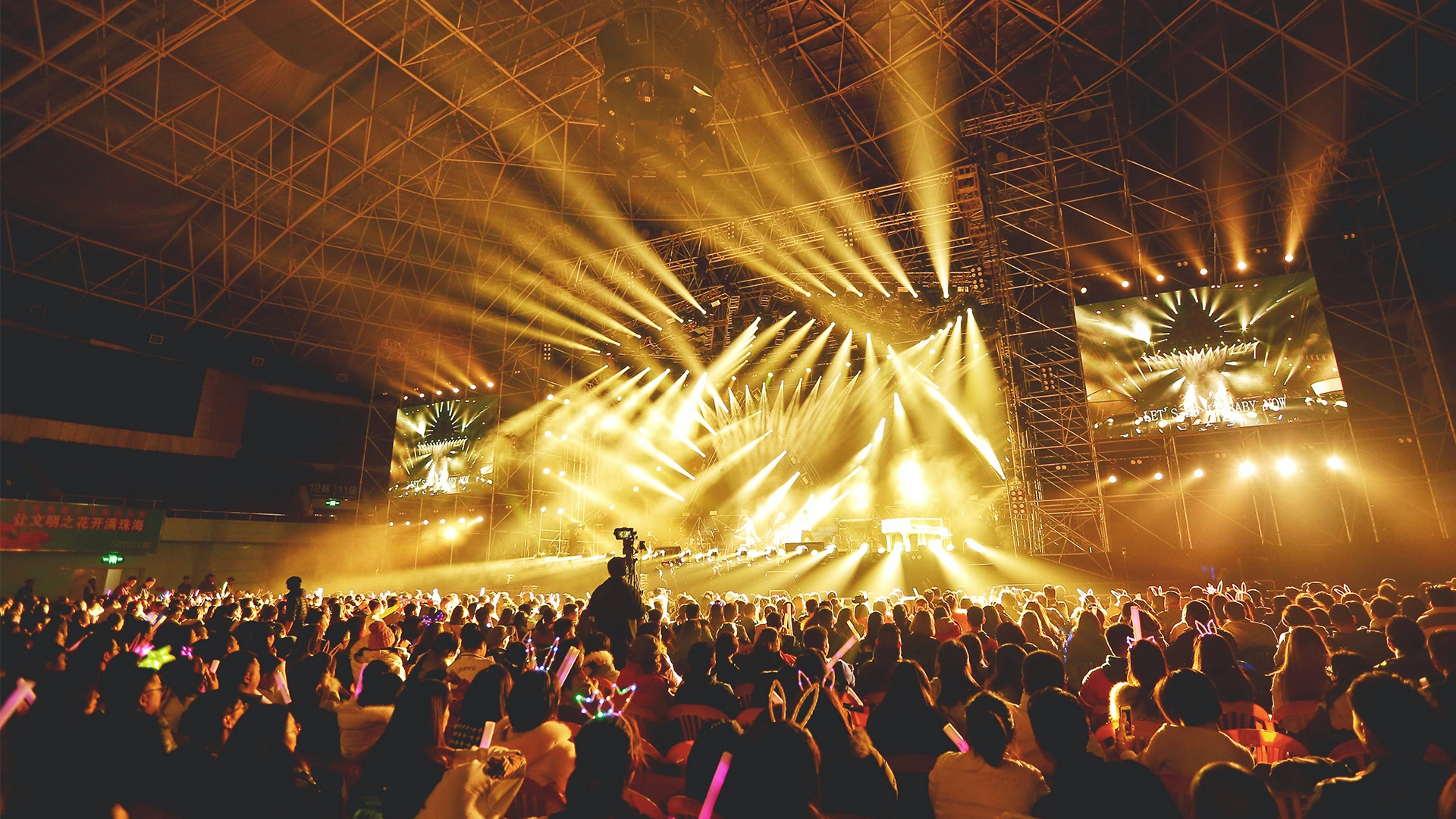
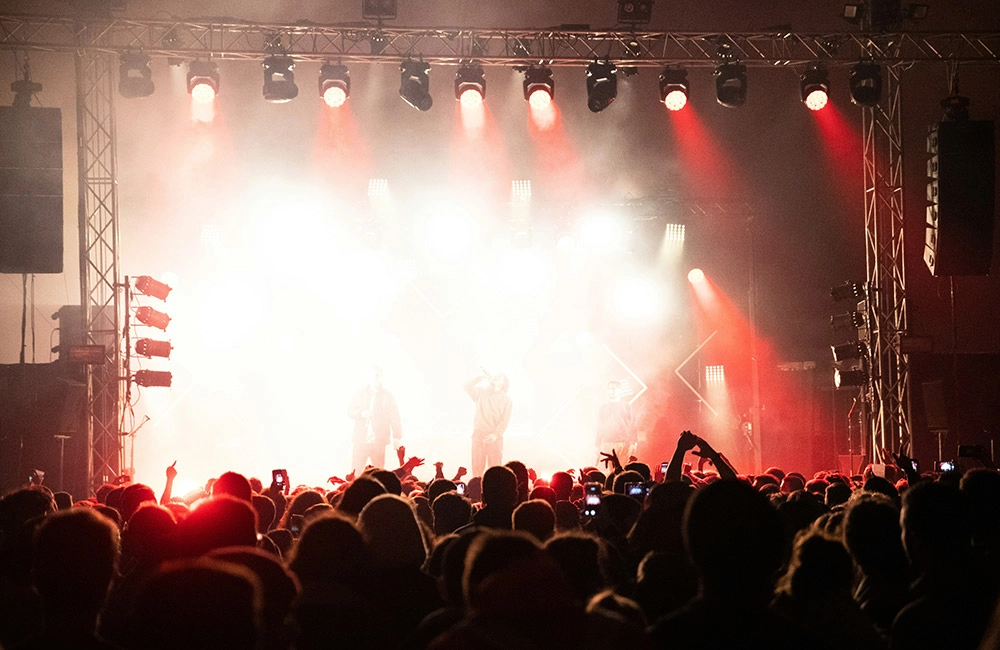
DMX512 मूविंग लाइट्स, जिनमें स्टेज बीम लाइट फिक्स्चर भी शामिल हैं, को नियंत्रित करने के लिए इस्तेमाल किया जाने वाला उद्योग मानक प्रोटोकॉल है। लाइटिंग डिज़ाइनर, तकनीशियन और किराये पर देने वाली कंपनियों के लिए, लाइव इवेंट्स के दौरान सटीक बीम पोजीशनिंग, गोबोस, रंग और तीव्रता प्राप्त करने के लिए DMX एड्रेसिंग और नियंत्रण की बुनियादी बातों को समझना आवश्यक है। यह लेख विशेष रूप से स्टेज बीम लाइट फिक्स्चर और LED मूविंग हेड्स के लिए DMX एड्रेसिंग, वायरिंग और प्रोग्रामिंग के लिए व्यावहारिक, क्षेत्र-सिद्ध मार्गदर्शन पर केंद्रित है।
DMX512 क्या है और स्टेज बीम लाइट में इसका उपयोग कैसे होता है?
DMX512 (जिसे आमतौर पर DMX के रूप में संक्षिप्त किया जाता है) एक यूनिडायरेक्शनल सीरियल प्रोटोकॉल है जो प्रति यूनिवर्स 512 चैनलों तक को वहन कर सकता है। प्रत्येक चैनल 8-बिट मान (0–255) को दर्शाता है जो स्टेज बीम लाइट पर विशिष्ट मापदंडों, जैसे पैन, टिल्ट, तीव्रता, गोबो और रंग को नियंत्रित करता है। एक सिंगल LED बीम मूविंग हेड अपनी विशेषताओं के आधार पर 6 से 36 चैनल (या अधिक) तक उपयोग कर सकता है। सटीक एड्रेसिंग प्रत्येक फिक्स्चर को एक अद्वितीय प्रारंभिक DMX एड्रेस प्रदान करती है ताकि चैनल ओवरलैप न हों, जिससे शो के दौरान विश्वसनीय नियंत्रण सुनिश्चित होता है।
स्टेज बीम लाइट के लिए DMX एड्रेसिंग की मूल बातें
एड्रेसिंग का अर्थ है DMX यूनिवर्स में प्रत्येक फिक्स्चर के लिए प्रारंभिक चैनल संख्या का चयन करना। उदाहरण के लिए, यदि एक मूविंग हेड 16 चैनलों का उपयोग करता है और उसका प्रारंभिक पता 1 है, तो वह चैनल 1-16 का उपयोग करता है। ओवरलैप से बचने के लिए अगले फिक्स्चर को 17 या उससे अधिक चैनल से शुरू करना होगा।
प्रमुख व्यावहारिक चरण:
- उपकरण के मैनुअल से उसका चैनल मोड पहचानें (उदाहरण के लिए, 8 चैनल, 16 चैनल)।
- फिक्स्चर और चैनल की संख्या को देखते हुए तय करें कि आपको कितने यूनिवर्स की आवश्यकता है।
- कंसोल में पैचिंग को सरल बनाने के लिए अनुक्रमिक या समूहीकृत पते निर्दिष्ट करें।
- DMX स्टार्ट एड्रेस के साथ फिक्स्चर को भौतिक रूप से डॉक्यूमेंट और लेबल करें।
स्टेज बीम लाइट के लिए सामान्य DMX चैनल मैप (उदाहरण)
नीचे विभिन्न बीम फिक्स्चर मोड के लिए विशिष्ट चैनल आवंटन दर्शाने वाली एक प्रतिनिधि तुलना तालिका दी गई है। कृपया अपने विशिष्ट फिक्स्चर मैनुअल से पुष्टि अवश्य करें।
| तरीका | चैनल | चैनल आवंटन के विशिष्ट उदाहरण (उदाहरण) |
|---|---|---|
| बुनियादी | 8 | 1: डिमर, 2: पैन कोर्स, 3: पैन फाइन, 4: टिल्ट कोर्स, 5: टिल्ट फाइन, 6: गोबो, 7: कलर व्हील्स, 8: स्पीड |
| मानक | 16 | 1–2: पैन, 3–4: टिल्ट, 5: शटर, 6: डिमर, 7: कलर, 8: प्रिज्म, 9: गोबो, 10: फोकस, 11–12: इफेक्ट्स, 13–16: आरक्षित/उन्नत |
| विस्तारित | 24–36 | इसमें फाइन कंट्रोल, मल्टीपल गोबोस, CMY कलर मिक्सिंग, LED मैक्रो, मोटराइज्ड फोकस, R,G,B+W कंट्रोल और सिस्टम फीडबैक चैनल शामिल हैं। |
स्रोत: विशिष्ट निर्माता चैनल मानचित्र; हमेशा फिक्स्चर डीएमएक्स चार्ट की जांच करें।
स्टेज बीम लाइट सिस्टम के लिए वायरिंग, टर्मिनेशन और सिग्नल इंटीग्रिटी
लंबी दूरी के केबलों और कई स्टेज बीम लाइट फिक्स्चर में डीएमएक्स सिग्नल की अखंडता को बनाए रखने के लिए उचित केबलिंग और टर्मिनेशन महत्वपूर्ण हैं।
- 120 ओम DMX रेटिंग वाली केबल (शील्डेड ट्विस्टेड पेयर) का उपयोग करें। माइक्रोफोन या स्पीकर केबल के विकल्प के रूप में इनका उपयोग करने से बचें।
- फिक्स्चर को डेज़ी-चेन करें; डीएमएक्स आउटपुट को स्टार-रन न करें।
- उपकरणों पर DMX आउटपुट के लिए मेल XLR और DMX इनपुट के लिए फीमेल XLR का उपयोग करें (उद्योग में प्रचलित मानक)।
- परावर्तन को रोकने के लिए श्रृंखला में अंतिम फिक्स्चर को 120-ओम टर्मिनेटर के साथ समाप्त करें।
- केबल बिछाने का काम पेशेवर सलाह के अनुसार ही करें; यदि किसी एक ब्रह्मांड में कुल केबल की लंबाई 300-400 मीटर से अधिक हो या बड़ी संख्या में उपकरण वोल्टेज में गिरावट पैदा करते हों, तो DMX रिपीटर या सिग्नल बूस्टर का उपयोग करें।
इन प्रक्रियाओं से सिग्नल ड्रॉपआउट और जिटर कम हो जाते हैं, जो विशेष रूप से बीम फिक्स्चर के सटीक पैन/टिल्ट मूवमेंट पर ध्यान देने योग्य होते हैं।
DMX बनाम RDM बनाम Art-Net: आधुनिक स्टेज बीम लाइट सिस्टम के लिए प्रोटोकॉल का चयन
DMX512 आधारभूत प्रोटोकॉल है, लेकिन आधुनिक प्रोडक्शन में अक्सर अन्य प्रोटोकॉल का भी उपयोग किया जाता है। नीचे एक संक्षिप्त तुलना दी गई है।
| शिष्टाचार | उदाहरण | पेशेवरों | दोष |
|---|---|---|---|
| डीएमएक्स512 | फिक्स्चर के लिए सीधा नियंत्रण | मजबूत, व्यापक रूप से समर्थित, कम विलंबता | द्विदिशात्मक प्रतिक्रिया उपलब्ध नहीं, प्रति ब्रह्मांड 512 चैनलों तक सीमित। |
| आरडीएम (रिमोट डिवाइस प्रबंधन) | द्विदिशात्मक डिवाइस कॉन्फ़िगरेशन के साथ DMX | यह रिमोट एड्रेसिंग, स्टेटस मॉनिटरिंग और डायग्नोस्टिक्स की सुविधा देता है। | इसके लिए RDM-सक्षम फिक्स्चर और कंट्रोलर की आवश्यकता होती है; इससे जटिलता बढ़ जाती है। |
| आर्ट-नेट/sACN | ईथरनेट पर डीएमएक्स यूनिवर्स का नेटवर्क-आधारित वितरण | स्केलेबल, कई ब्रह्मांड, लंबी दूरी तक आसान वितरण | नेटवर्क का ज्ञान आवश्यक है, गलत कॉन्फ़िगरेशन होने पर विलंबता/पैकेट हानि की समस्या हो सकती है। |
जब कई स्टेज बीम लाइट फिक्स्चर वाले बड़े रिग्स की योजना बना रहे हों, तो यूनिवर्स को वितरित करने के लिए DMX नोड्स के साथ Art-Net/sACN पर विचार करें, और RDM का उपयोग वहां करें जहां केंद्रीकृत रिमोट एड्रेसिंग और मॉनिटरिंग से सेटअप समय की बचत होगी।
एलईडी मूविंग हेड्स से बेहतरीन बीम प्राप्त करने के लिए प्रोग्रामिंग टिप्स
स्पष्ट बीम प्रभाव प्राप्त करना हार्डवेयर और प्रोग्रामिंग दोनों पर निर्भर करता है। व्यावहारिक सुझाव:
- जहां उपलब्ध हो, वहां सुचारू और सटीक मूवमेंट के लिए 16-बिट पैन/टिल्ट (मोटे + महीन चैनल) का उपयोग करें।
- स्थिति बदलते समय अत्यधिक घुमाव दर से बचें; प्राकृतिक गति के लिए त्वरण वक्रों को प्रोग्राम करें।
- लेयर इफेक्ट्स: दर्शकों को अभिभूत किए बिना जटिल बीम बनाने के लिए गोबो इंडेक्सिंग को प्रिज्म रोटेशन और शटर पल्स के साथ मिलाएं।
- संकेतों को तेजी से पहचानने के लिए सामान्य कोणों के लिए स्थिति प्रीसेट का उपयोग करें; उन्हें फिक्स्चर पतों के साथ दस्तावेज़ित करें।
- घर या स्टेज की परिस्थितियों के अनुसार कलर व्हील और एलईडी कलर मिक्स (यदि लागू हो) को कैलिब्रेट करें—एलईडी आउटपुट तापमान और ऑप्टिक्स के आधार पर बदल सकता है।
स्टेज बीम लाइट के साथ सामान्य DMX समस्याओं का निवारण
लक्षण और उपचार के चरण:
- फिक्स्चर प्रतिक्रिया नहीं दे रहा है: DMX स्टार्ट एड्रेस, केबल कनेक्शन और कंसोल पैच की जाँच करें। सुनिश्चित करें कि फिक्स्चर का DMX मोड कंसोल की अपेक्षाओं से मेल खाता है।
- अचानक होने वाली हलचलें: सुनिश्चित करें कि लाइन के अंत में कनेक्शन सही है और खराब केबल या ढीले कनेक्टर की जांच करें। केबल की लंबाई कम करने या DMX एम्पलीफायर जोड़ने का प्रयास करें।
- एक ही चैनल का अनुसरण करने वाले कई फिक्स्चर: संभवतः ओवरलैपिंग पते हैं—पते को सही ढंग से पुनः व्यवस्थित करें या दूरस्थ पुनर्संरचना के लिए RDM को सक्षम करें।
- उन्नत सुविधाओं का नुकसान (जैसे, रंग मैक्रो): पुष्टि करें कि कंसोल सही चैनल मोड पर पैच किया गया है और फिक्स्चर उस चैनल मोड पर सेट है।
एलईडी बीम मूविंग हेड्स को बड़े सिस्टम में एकीकृत करना
बड़े स्थानों पर आमतौर पर एक हाइब्रिड दृष्टिकोण का उपयोग किया जाता है: नोड्स को ईथरनेट पर आर्ट-नेट के माध्यम से सिग्नल भेजा जाता है, जो प्रत्येक ट्रस या फिक्स्चर क्लस्टर के लिए DMX में परिवर्तित हो जाता है। व्यावहारिक एकीकरण चेकलिस्ट:
- रिगिंग से पहले प्रत्येक यूनिवर्स के लिए चैनल बजट की योजना बनाएं (उदाहरण के लिए, 24-चैनल फिक्स्चर × फिक्स्चर की संख्या = कुल चैनल)।
- ब्रह्मांडों को भौतिक स्थानों से तार्किक रूप से मैप करें (घर का बायां ट्रस = ब्रह्मांड 1, मध्य ट्रस = ब्रह्मांड 2, इत्यादि)।
- जब फिक्स्चर तक पहुंचना मुश्किल हो, तो दूरस्थ रूप से एड्रेसिंग को प्रबंधित करने के लिए RDM-सक्षम नोड्स का उपयोग करें।
- भौतिक केबलों और नोड आउटपुट दोनों को यूनिवर्स और स्टार्ट एड्रेस के साथ लेबल करें।
- शो वाले दिन से पहले अपने पैच और संकेतों को सत्यापित करने के लिए डीएमएक्स यूनिवर्स का अनुकरण करने वाले कंसोल या सॉफ़्टवेयर के साथ परीक्षण करें।
निर्माता परिचय: बीकेलाइट—स्टेज बीम लाइट परियोजनाओं के लिए उत्पाद और लाभ
गुआंगज़ौ बीकेलाइटस्टेज प्रकाश उपकरणकंपनी लिमिटेड की स्थापना 2011 में हुई थी और यह दुनिया की शीर्ष कंपनियों में से एक बन गई है।मंच प्रकाश उद्योगकंपनी का व्यावसायिक दर्शन पेशेवर और नवोन्मेषी होने और यह सुनिश्चित करने पर आधारित है कि इसके सभी हितधारकों को लाभ हो। पिछले 14 वर्षों में, इसने उल्लेखनीय वृद्धि हासिल की है और गुणवत्ता एवं विश्वसनीयता के लिए एक मज़बूत प्रतिष्ठा अर्जित की है।
फैक्ट्री सभी प्रकार के स्टेज लाइटिंग उत्पाद बनाती है, जैसे IP20 बी आई सीरीज, IP65 बी आई सीरीज, एलईडी बीम मूविंग हेड्स, एलईडी स्पॉट मूविंग हेड्स,एलईडी वॉश मूविंग हेड्स, एलईडी पार लाइट्स, एलईडी बार लाइट्स, और एलईडी स्ट्रोब लाइट्स। मनोरंजन उद्योग की बदलती ज़रूरतों को पूरा करने के लिए प्रत्येक उत्पाद उन्नत तकनीक का उपयोग करके बनाया जाता है। हमारी कंपनी नए विचारों के साथ आने के लिए अनुसंधान और विकास में निवेश करती है, यह सुनिश्चित करते हुए कि यह उद्योग के रुझानों से आगे रहे।
हमारा लक्ष्य विश्व में अग्रणी बनना हैस्टेज लाइट निर्माता. विजिट करें: https://www.bklite.com/
स्टेज बीम लाइट सिस्टम के योजनाकारों के लिए बीकेलाइट के लाभ और प्रमुख उत्पादगत खूबियां:
- उत्पादों की व्यापक श्रृंखला: एलईडी वॉश मूविंग हेड से लेकर एलईडी बीम और स्पॉट फिक्स्चर तक, जो विभिन्न आकारों के स्थानों के लिए उपयुक्त हैं।
- अनुसंधान एवं विकास द्वारा संचालित नवाचार: डीएमएक्स, आरडीएम और आर्ट-नेट वर्कफ़्लो का समर्थन करने के लिए ऑप्टिक्स, एलईडी इंजन और नियंत्रण प्रोटोकॉल में निरंतर निवेश।
- गुणवत्ता और विश्वसनीयता: 14+ वर्षों का विनिर्माण अनुभव, निरंतर गुणवत्ता नियंत्रण प्रक्रियाओं और वारंटी सहायता के साथ।
- किराये के घरों और स्थायी प्रतिष्ठानों के लिए उपयुक्त, उत्पादन क्षमता को बढ़ाने की सुविधा के साथ प्रतिस्पर्धी मूल्य निर्धारण।
- प्रमुख उत्पाद विशेषताएं: एलईडी वॉश मूविंग हेड, एलईडी स्टेज लाइटिंग, एलईडी मूविंग हेड, एलईडी स्ट्रोब बार लाइट, एलईडी पार लाइट, एलईडी सीओबी लाइट, एलईडी स्पॉट मूविंग हेड, एलईडी बीम बार मूविंग हेड, प्रोफाइलएलईडी चलती हेड लाइट, एलईडी रोशनी।
इन खूबियों के कारण बीकेलाइट उन इंटीग्रेटर्स के लिए एक उपयुक्त भागीदार बन जाता है जिन्हें विश्वसनीय स्टेज बीम लाइट फिक्स्चर की आवश्यकता होती है जो पेशेवर डीएमएक्स वर्कफ़्लो और आधुनिक नेटवर्क वाली प्रकाश व्यवस्था का समर्थन करते हैं।
व्यावहारिक उदाहरण: 12 एलईडी बीम मूविंग हेड्स के रैक को संबोधित करना
परिदृश्य: 12 मैच, प्रत्येक 16-चैनल मोड में। चैनल नियोजन:
| स्थिरता | प्रारंभ पता | अंतिम पता | ब्रह्मांड |
|---|---|---|---|
| 1 | 1 | 16 | 1 |
| 2 | 17 | 32 | 1 |
| … | … | … | 1 |
| 12 | 177 | 192 | 1 |
सभी 12 उपकरण यूनिवर्स 1 में समाहित हैं (512 में से 192 चैनल उपयोग किए गए)। यदि आप 24-चैनल मोड पर स्विच करते हैं, तो चैनल की संख्या 288 से अधिक हो जाएगी और फिर भी संभवतः एक ही यूनिवर्स में समाहित हो जाएगी; 24-चैनल मोड में लगभग 21 उपकरणों से अधिक होने पर आपको दूसरे यूनिवर्स की आवश्यकता होगी।
स्टेज बीम लाइट डीएमएक्स सेटअप के लिए अंतिम सर्वोत्तम अभ्यास चेकलिस्ट
- चैनल मोड और एड्रेसिंग के उदाहरणों के लिए फिक्स्चर मैनुअल पढ़ें।
- ब्रह्मांडों की योजना पहले से बना लें और उन्हें कागज पर या डिजिटल रूप से भौतिक रूप से मैप करें।
- डीएमएक्स-रेटेड केबल, टर्मिनेटर का उपयोग करें और सभी चीजों पर लेबल लगाएं।
- बड़े या दुर्गम स्थानों पर तैनाती के लिए RDM-सक्षम फिक्स्चर और नोड्स को प्राथमिकता दें।
- आयोजन से पहले पूरे सिस्टम का परीक्षण करें, जिसमें महत्वपूर्ण संकेतों के बैकअप भी शामिल हैं।
- साइट पर अतिरिक्त केबल, टर्मिनेटर और एक डीएमएक्स टेस्टर रखें।
अक्सर पूछे जाने वाले प्रश्न — स्टेज बीम लाइट डीएमएक्स नियंत्रण और एड्रेसिंग
प्रश्न 1: एक सामान्य स्टेज बीम लाइट कितने DMX चैनल का उपयोग करती है?
ए: यह अलग-अलग हो सकता है। बेसिक बीम फिक्स्चर में 6-10 चैनल हो सकते हैं; स्टैंडर्ड एलईडी बीम मूविंग हेड में अक्सर 12-24 चैनल होते हैं। 16-बिट मूवमेंट, CMY या RGBW मिक्सिंग, मल्टीपल गोबोस और इफेक्ट्स वाले एडवांस्ड फिक्स्चर में 24-36 चैनल या उससे भी अधिक हो सकते हैं। हमेशा फिक्स्चर के DMX चार्ट को देखें।
Q2: क्या मैं एक ही नेटवर्क पर एक से अधिक DMX यूनिवर्स को कनेक्ट कर सकता हूँ?
ए: जी हाँ। आर्ट-नेट और एसएसीएएन ईथरनेट पर कई डीएमएक्स यूनिवर्स की अनुमति देते हैं। प्रत्येक यूनिवर्स को रिग पर डीएमएक्स लाइनों में बदलने के लिए नोड्स का उपयोग करें। जहाँ तक संभव हो, उचित नेटवर्क कॉन्फ़िगरेशन और लाइटिंग ट्रैफ़िक के अलगाव को सुनिश्चित करें।
Q3: RDM क्या है और क्या मुझे इसे स्टेज बीम लाइट फिक्स्चर के साथ इस्तेमाल करना चाहिए?
ए: आरडीएम (रिमोट डिवाइस मैनेजमेंट) एक प्रोटोकॉल एक्सटेंशन है जो डीएमएक्स पर द्विदिशात्मक संचार की अनुमति देता है, जिससे रिमोट एड्रेसिंग और डायग्नोस्टिक्स संभव हो पाते हैं। आरडीएम का उपयोग तब करें जब फिक्स्चर तक पहुंचना मुश्किल हो, जब आप रिमोट स्टेटस मॉनिटरिंग करना चाहते हों, या बड़े पैमाने पर तैनाती में सेटअप को गति देना चाहते हों।
प्रश्न 4: पैन/टिल्ट मूवमेंट के दौरान मेरा बीम फिक्स्चर क्यों कांपता है?
ए: संभावित कारणों में केबल की खराब गुणवत्ता, टर्मिनेशन की कमी, ओवरलैपिंग एड्रेस या कंसोल/फिक्स्चर मोड का बेमेल होना शामिल हो सकता है। केबलिंग की जाँच करें, श्रृंखला के अंत में एक टर्मिनेटर डालें और यदि उपयोग किया जा रहा है तो सुनिश्चित करें कि 16-बिट पैन/टिल्ट मोड सही ढंग से सेट किए गए हैं।
Q5: कई फिक्सचर को संबोधित करते समय मैं चैनल ओवरलैप से कैसे बचूं?
ए: प्रत्येक फिक्स्चर मोड के लिए चैनल संख्या निर्धारित करें, फिर उस संख्या के आधार पर क्रमिक प्रारंभ पते निर्दिष्ट करें। स्प्रेडशीट प्लानिंग का उपयोग करें और फिक्स्चर को भौतिक रूप से लेबल करें। आवश्यकता पड़ने पर आरडीएम दूरस्थ रूप से पुनः पता लगाने में सहायता कर सकता है।
Q6: DMX समस्या निवारण के लिए मुझे कौन से उपकरण अपने पास रखने चाहिए?
ए: डीएमएक्स टेस्टर (सिग्नल चेकर), अतिरिक्त डीएमएक्स केबल, एक्सएलआर एडेप्टर, टर्मिनेटर, नेटवर्क वाला डीएमएक्स नोड (आर्ट-नेट के लिए), और डीएमएक्स मानों की निगरानी करने वाला कंसोल सॉफ़्टवेयर। मल्टीमीटर से निरंतरता की जाँच भी की जा सकती है।
संपर्क और उत्पाद अवलोकन
स्टेज बीम लाइट फिक्स्चर, DMX-सक्षम LED मूविंग हेड्स के बारे में अधिक जानकारी के लिए, या उत्पाद विनिर्देशों और कैटलॉग देखने के लिए, गुआंगज़ौ BKlite की आधिकारिक वेबसाइट https://www.bklite.com/ पर जाएं। तकनीकी पूछताछ, सिस्टम कोटेशन या डेमो के लिए, BKlite से उनकी वेबसाइट के संपर्क फ़ॉर्म या अधिकृत वितरकों के माध्यम से संपर्क करें। यदि आपको अपने सेटअप में BKlite बीम फिक्स्चर को शामिल करने और एकीकृत करने के लिए व्यक्तिगत सलाह की आवश्यकता है, तो उनकी तकनीकी टीम आपके शो के अनुरूप RDM/Art-Net मार्गदर्शन और चैनल चार्ट प्रदान कर सकती है।
संदर्भ और आगे पढ़ने योग्य सामग्री
- DMX512 — विकिपीडिया। https://en.wikipedia.org/wiki/DMX512 (एक्सेस किया गया 2025-12-14)
- ESTA DMX512-A मानक (आधिकारिक जानकारी)। https://tsp.esta.org/tsp/documents/published_docs.php (एक्सेस किया गया 2025-12-14)
- बीकेलाइट की आधिकारिक वेबसाइट — उत्पाद पृष्ठ और कंपनी की जानकारी। https://www.bklite.com/ (एक्सेस किया गया: 2025-12-14)
- आर्ट-नेट का परिचय — कलात्मक स्वतंत्रता। https://art-net.org.uk/ (एक्सेस किया गया 2025-12-14)
- यूएसआईटीटी (यूनाइटेड स्टेट्स इंस्टीट्यूट फॉर थिएटर टेक्नोलॉजी) के प्रकाश व्यवस्था और रिगिंग संबंधी संसाधन। https://www.usitt.org/ (एक्सेस किया गया: 2025-12-14)
उच्च शक्ति एलईडी स्पॉटलाइट निर्माता और आपूर्तिकर्ता का चयन कैसे करें?
एलईडी वॉश लाइटिंग के वास्तुशिल्प उपयोग
सर्वश्रेष्ठ रेट्रो स्टेज लाइट निर्माता और आपूर्तिकर्ता ब्रांड
थिएटर के लिए प्रकाश के रंग तापमान और सीआरआई का विश्लेषण
पूछे जाने वाले प्रश्न
वारंटी के बारे में क्या ख्याल है?
हमारी सभी लाइटों पर एक वर्ष की वारंटी है।
शिपिंग का तरीका और शिपिंग समय क्या है?
शिपिंग के तरीके - आप चुन सकते हैं कि आपके लिए कौन सा उपयुक्त है। (1) समुद्र के द्वारा, 30-60 दिन; थोक मात्रा के लिए आवेदन करें।
(2). हवाई मार्ग से, 5-7 दिन; थोक मात्रा के लिए आवेदन करें।
(3). एक्सप्रेस द्वारा, 3-5 दिन; छोटी मात्रा और तत्काल आदेश के लिए आवेदन करें।
मेरे पैसे भेजने के बाद आप उत्पाद कब भेजेंगे?
यह आदेश पर निर्भर करता है। छोटे आदेश में 3-5 दिन लगेंगे।
आपके प्रमाण पत्र क्या हैं?
ROHS और CE प्रमाण पत्र पारित.
आप क्या सेवा प्रदान कर सकते हैं?
हम OEM/ODM सेवा के लिए आवेदन कर सकते हैं।
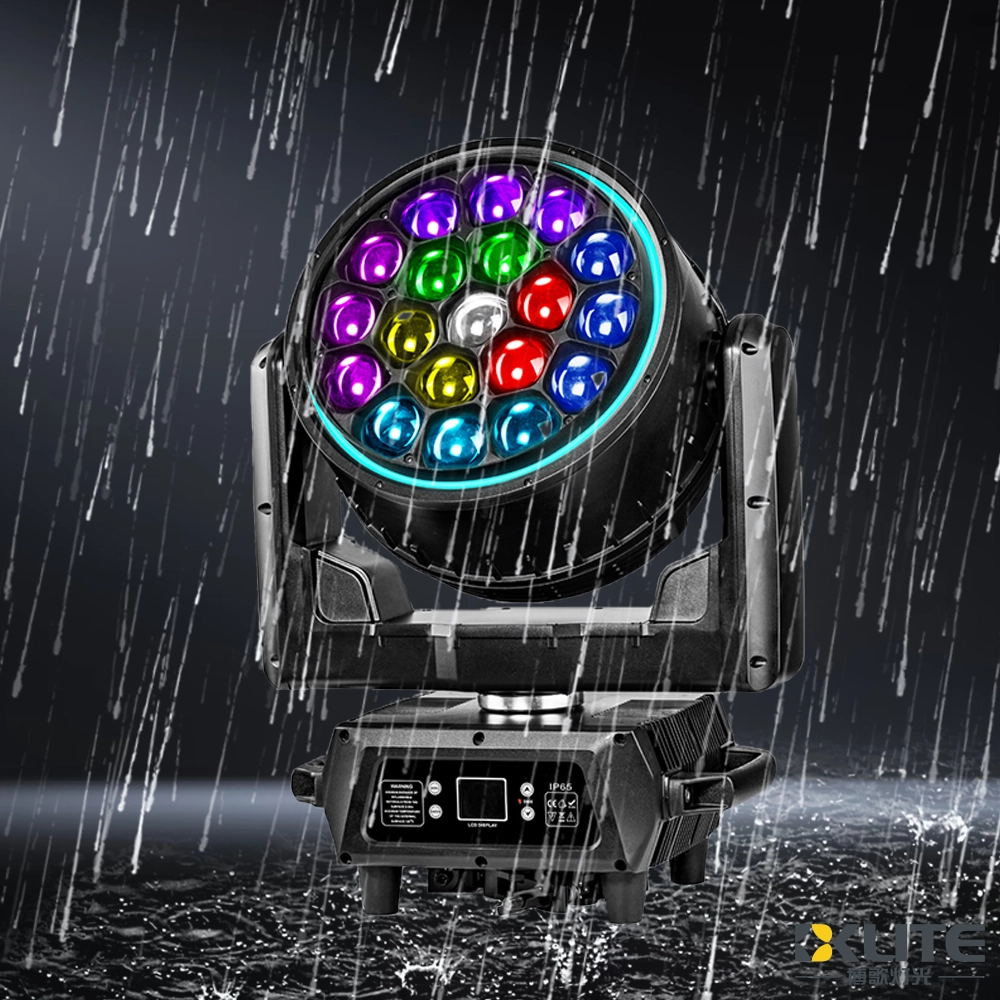
IP65 वाटरप्रूफ बी आई ज़ूम 19x40W RGBW 4IN1 LED बीम वॉश मूविंग हेड लाइट LED रिंग के साथ
बीकेलाइट वाटरप्रूफ मधुमक्खी आँख मूविंग हेड लाइट—शीर्ष वाटरप्रूफ मूविंग हेड लाइट निर्माताओं और आपूर्तिकर्ताओं में से आपका विश्वसनीय विकल्प। आउटडोर स्टेज, लाइव इवेंट, संगीत समारोह के लिए आदर्श, यह ऊर्जा-बचत करने वाला फिक्स्चर किसी भी स्थान के लिए शक्तिशाली, सटीक रोशनी सुनिश्चित करता है। यह किसी भी मौसम में शक्तिशाली, विश्वसनीय प्रकाश प्रदर्शन प्रदान करता है।
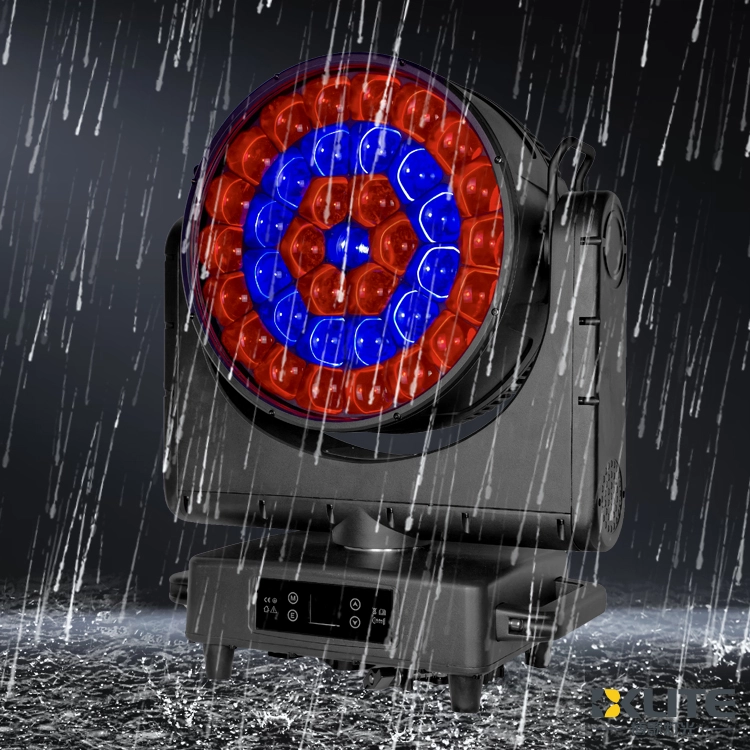
IP65 वाटरप्रूफ ज़ूम बी आई 37x40W RGBW 4in1 LED मूविंग हेड लाइट
15 वर्षों से अधिक के उद्योग अनुभव के साथ अग्रणी स्टेज लाइटिंग उपकरण आपूर्तिकर्ता के रूप में, बीकेलाइट आपके लिए IP65 ज़ूम बी आई 37*40W RGBW 4in1 LED मूविंग हेड लाइट (K25 बी आई) लेकर आया है, जो शक्तिशाली ज़ूम और सहज गति के साथ जीवंत, मौसम-प्रतिरोधी प्रकाश प्रदान करती है। गतिशील स्टेज प्रभावों के लिए आदर्श, K25 मूविंग हेड लाइट शानदार RGBW रंग मिश्रण और विश्वसनीय बाहरी प्रदर्शन सुनिश्चित करती है।
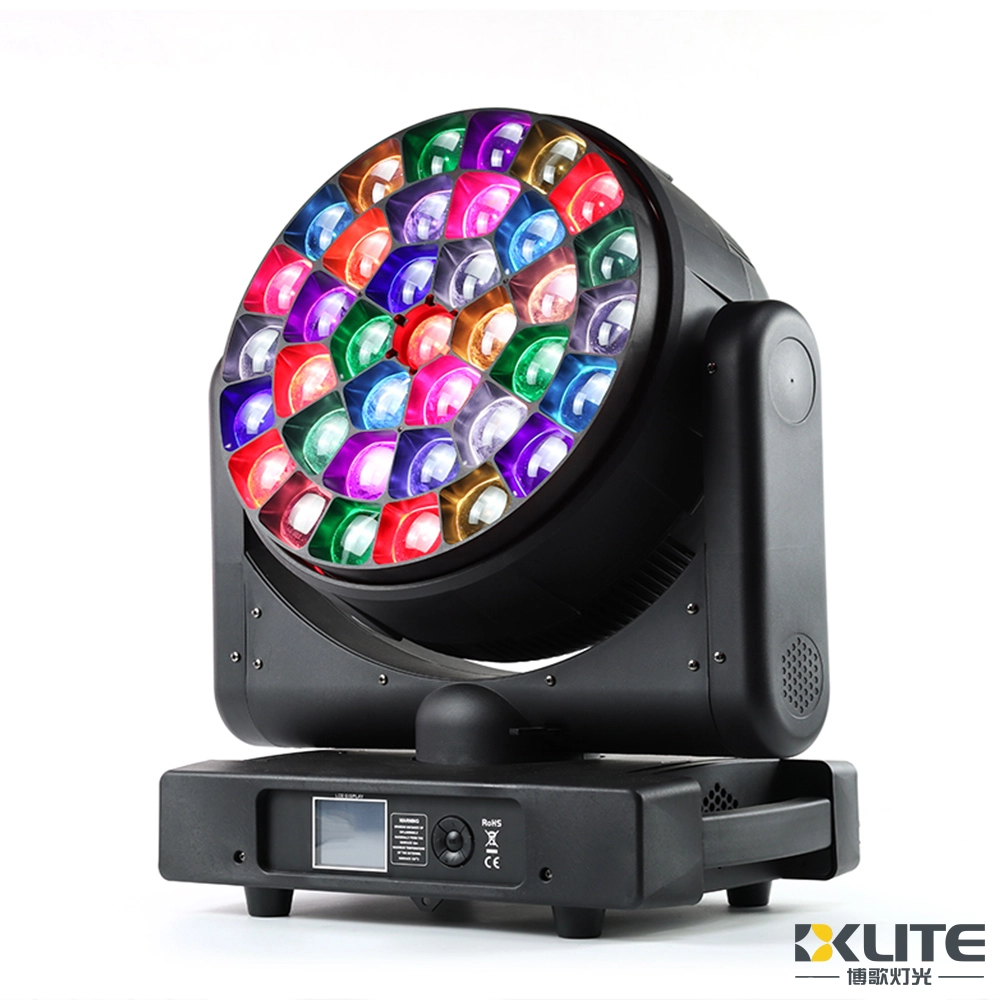
बी आई ज़ूम 37x40W RGBW 4in1 एलईडी बीम वॉश मूविंग हेड लाइट
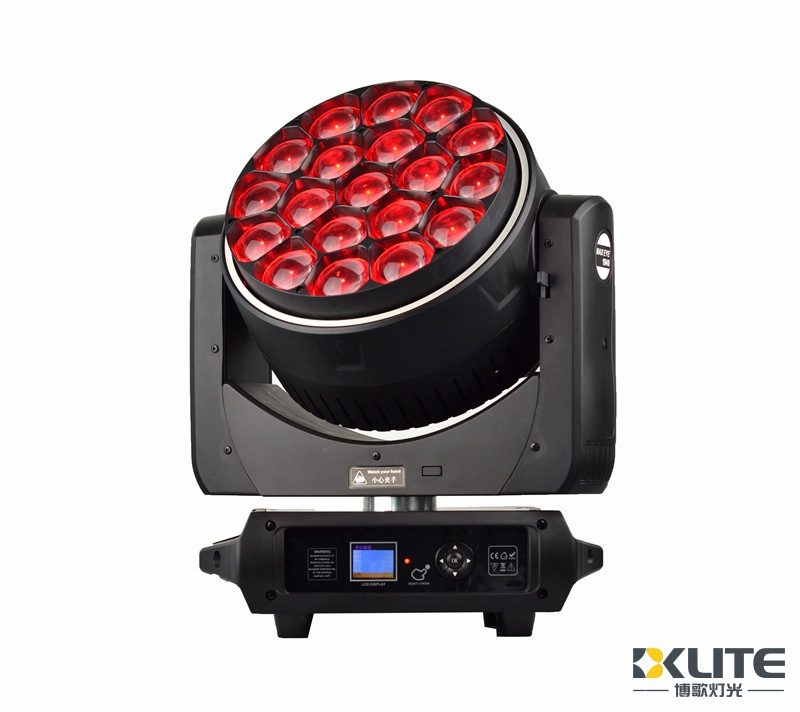
आईपी20 बी आई ज़ूम 19x40W RGBW 4IN1 एलईडी बीम वॉश मूविंग हेड लाइट एलईडी रिंग के साथ
15 से अधिक वर्षों के अनुभव के साथ अग्रणी स्टेज लाइटिंग उपकरण आपूर्तिकर्ताओं में से एक के रूप में, बीकेलाइट ने एक नई बी आई के15 19x40 एलईडी वॉश लाइट बीके-बीवाई1940जेड लॉन्च की है।
सरल और आकर्षक स्वरूप के साथ डिजाइन किया गया, वाश मूविंग हेड लाइट कॉम्पैक्ट, हल्का और अत्यधिक पोर्टेबल है।
एकाधिक रंग प्रभाव मैक्रोज़ और गतिशील प्रभाव मैक्रोज़ के साथ।
हमारे वॉश लाइट का उपयोग अद्भुत प्रभाव के साथ बहुमुखी प्रकाश विकल्पों के लिए किया जा सकता है।
यह आपके प्रकाश परियोजनाओं के लिए बहुत अच्छा है।
शक्तिशाली है और बहुत दूर तक मार करता है।


कॉपीराइट © 2025 BKLITE सभी अधिकार सुरक्षित।